·5 min read
Building Custom Skills for Claude Code: A Practical Guide
Skills turn Claude Code from a smart terminal into a personalised operating system. Here’s how to build, install, and use them — with real examples from 320 installed skills.
What Are Claude Code Skills?
Skills are markdown files that turn Claude Code into something personal.
Without them, Claude Code is a powerful general-purpose terminal assistant. With them, it becomes your terminal assistant — one that knows your brand voice, your deploy workflow, your sales scripts, and your content pipeline.
A skill is just a .md file stored in ~/.claude/skills/. Each one contains instructions for how Claude should behave when you invoke it. Type /blog-draft and it writes an SEO-optimised article in your brand voice, publishes it to Ghost, generates a cover image, and attaches a CTA card. Type /sales-script and it runs you through cold call roleplay with objection handling. Type /evening and it reads your Notion planner, reflects on your day, and saves a diary entry to Obsidian.
That’s the difference. Skills are how you stop prompting from scratch every session and start building on top of what you’ve already figured out.
The Neo Metaphor Nobody’s Making
Remember the scene in The Matrix where Neo plugs in and downloads kung fu in seconds? “I know kung fu.”
That’s what installing skills feels like.
You find a skill repo on GitHub, run one command, and suddenly Claude Code knows how to do things it couldn’t do 30 seconds ago. Build Terraform infrastructure. Run Playwright end-to-end tests. Optimise PostgreSQL queries. Design UI components. Conduct security audits.
I have 320 skills installed right now. That’s not a flex — it’s a deliberate operating system I’ve built over months. Each skill encodes a workflow I used to do manually. Some I built myself. Some came from the community. All of them compound.
The implications are wild if you think about it. The gap between “I don’t know how to do X” and “I can do X at a professional level” is collapsing to the time it takes to install a markdown file. The learning curve isn’t gone — it’s been absorbed into the skill itself.
How I Actually Use Skills Daily
Here’s what a normal day looks like with my skill stack:
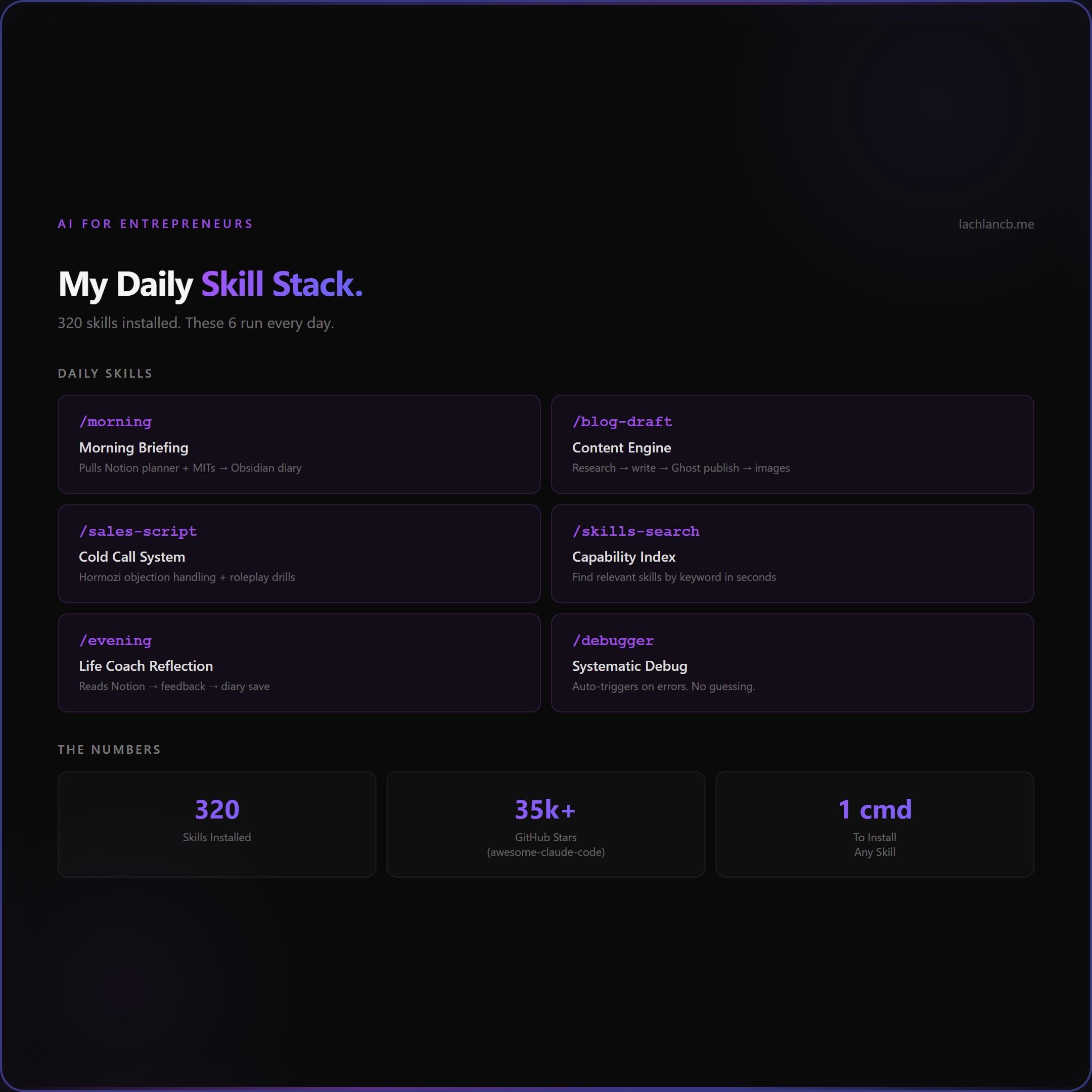
Morning: /morning pulls my Notion planner, intelligence feed, and most important tasks — saves a briefing to my Obsidian vault.
Content: /blog-draft personal "topic" researches sources, writes a full article in my brand voice, publishes to Ghost, generates cover images and infographics, injects CTAs — all in one command.
Sales: /sales-script loads my Clearscale cold calling system with Hormozi-style objection handling. I use it for roleplay practice before call blocks.
Research: /skills-search is one of the most underrated skills. I type a keyword and it surfaces the 3-4 most relevant skills for what I’m building. It’s like having an index of capabilities I forgot I had.
Evening: /evening reads my completed Notion template, gives me Life Coach feedback on my patterns, and saves a reflection to my diary.
Debugging: /debugger kicks in automatically when something breaks — it follows a systematic debugging flow instead of guessing.
The pattern is the same every time: encode the workflow once, invoke it forever. The skill does the heavy lifting. I do the thinking.
How to Build Your Own Skill
A skill is a SKILL.md file in a folder under ~/.claude/skills/your-skill-name/. The structure is simple:
The file starts with frontmatter (name, description, triggers) followed by plain markdown instructions. Tell Claude what to do step by step — what tools to use, what format to output, what mistakes to avoid. The more specific you are, the better the skill performs.
The key principles:
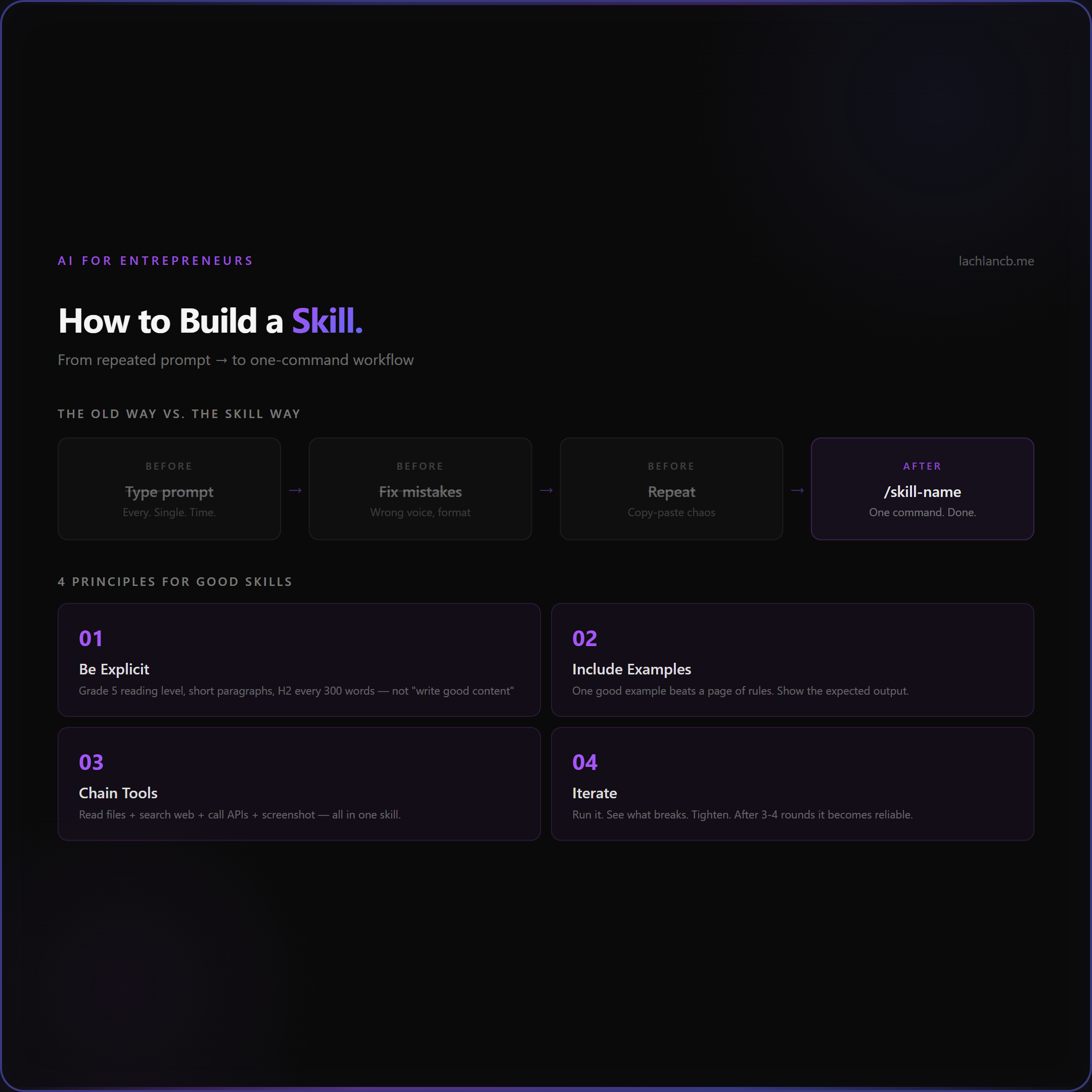
- Be explicit. Don’t say “write good content.” Say “use short paragraphs, Grade 5 reading level, no passive voice, include one H2 every 300 words.”
- Include examples. Show Claude what the output should look like. One good example beats a page of rules.
- Chain tools. A single skill can read files, search the web, call APIs, take screenshots, and write code. The power is in composition.
- Iterate. Your first version will be rough. Run it, see what breaks, tighten the instructions. After 3-4 iterations, it becomes reliable.
Where to Find Skills
The community has exploded. Three repos worth bookmarking:
- awesome-claude-code — 35,000+ stars on GitHub. The largest collection of skills, hooks, slash commands, and agent orchestrators for Claude Code.
- awesome-agent-skills by VoltAgent — 13,000+ stars. Cross-platform skills that work with Claude Code, Codex, Gemini CLI, and Cursor.
- awesome-claude-code-toolkit — 135 agents, 35+ curated skills, 400,000+ via SkillKit. The most comprehensive toolkit.
Installing a skill is usually as simple as copying a folder into ~/.claude/skills/. Some repos include install scripts that handle it for you.
Getting Started With Claude Code
If you don’t have Claude Code yet — it’s Anthropic’s official CLI tool. Install it with:
npm install -g @anthropic-ai/claude-code
Then run claude in your terminal. That’s it. You’re in.
From there, start with one or two skills that match your daily workflow. Don’t try to install 320 on day one. Pick your highest-friction task — the one you repeat most often — and encode it as a skill. Use it for a week. Then build the next one.
The Future of Skills
Here’s what I think is coming.
Right now, skills are text files written by humans. They work because Claude Code is smart enough to interpret detailed instructions and execute them reliably.
But the trajectory is clear. Skills will get more compositional — skills that call other skills. They’ll get smarter — adapting their behaviour based on context, past results, and your preferences. They’ll get shareable — marketplaces where you can browse, install, and rate skills the way you browse apps today.
The Matrix metaphor isn’t just cute. It’s directionally accurate. We’re building toward a world where capability is downloadable. Where the question isn’t “can you do this?” but “do you have the skill installed?”
The people who start building their skill stack now — encoding their workflows, their voice, their decision-making — will have an enormous compounding advantage. Because every skill you build today makes tomorrow slightly easier. And that compounds.
Start with one skill. Make it good. Then build the next.